玩法介绍
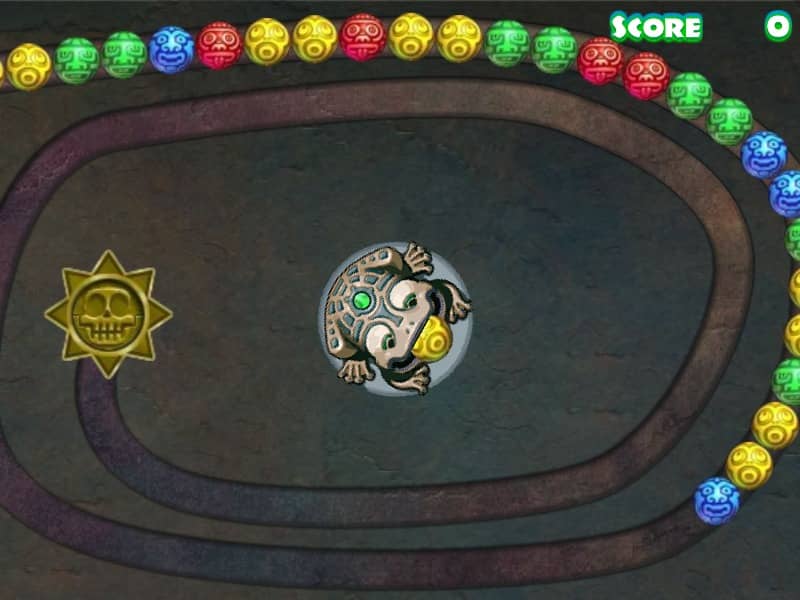
In Suma, your objective is to eliminate all the colored marbles rolling along a designated path before they reach the danger zone at the end. You control a central launcher, rotating it with your mouse to aim at different parts of the moving marble chain. Press the left mouse button to shoot a colored marble into the chain. Match three or more marbles of the same color to pop them and shorten the line. To succeed, focus on creating chain reactions by matching marbles that trigger subsequent matches as the line pulls back. Keep an eye on the next marble color loaded in your launcher, and swap them if necessary to optimize your shots. Utilize power-up marbles that slow down the track, reverse the movement, or explode nearby spheres to clear difficult clusters during tense moments.
游戏信息
在线玩 Suma - FLASH 游戏常见问题
可以免费在线玩 Suma 吗?
可以。你可以在 GGEMU 上直接通过浏览器免费在线玩 Suma,无需下载。
可以在手机上玩 Suma 吗?
可以。你可以通过 GGEMU 在手机等移动设备或电脑浏览器上玩 Suma。
玩 Suma 可以保存进度吗?
Suma 目前不支持 GGEMU 即时存档。如果游戏自带存档功能,可以使用游戏内存档。
玩 Suma 需要安装模拟器或准备专用硬件吗?
不需要。Suma 可直接在 GGEMU 的浏览器页面中运行,无需额外的硬件或软件。
可以全屏玩 Suma 吗?
可以。Suma 在 GGEMU 上支持全屏模式,游玩时更具沉浸感。
可以用游戏手柄玩 Suma 吗?
可以。连接兼容的游戏手柄后,即可在 GGEMU 上用手柄玩 Suma。