How to play
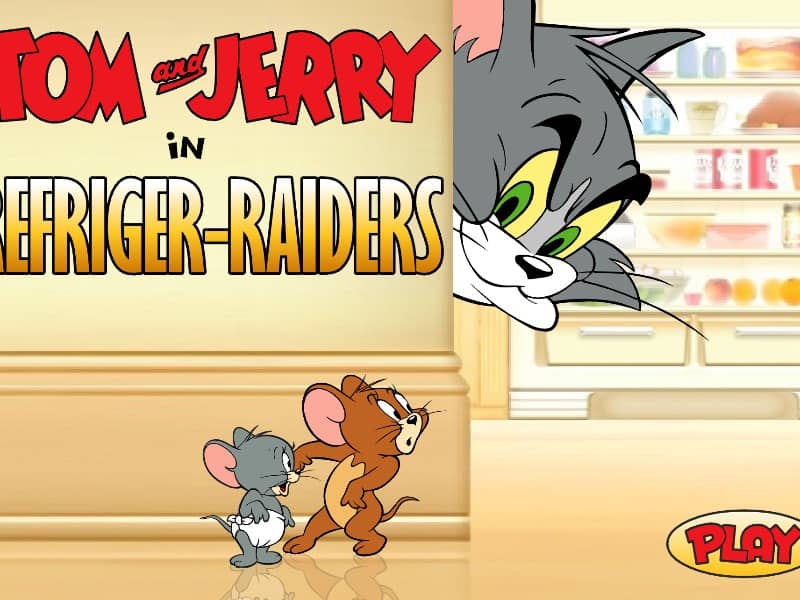
Choose to play as either Jerry or Tom in this classic arcade-style kitchen showdown. If playing as Jerry, your objective is to raid the refrigerator by collecting food items on the shelves and dropping them down to Nibbles. Move left and right to navigate the shelves, avoiding the falling obstacles thrown by Tom. Press the action key or spacebar to drop food into Nibbles' moving basket. Timing is crucial, as missing the basket or getting hit too many times will end your run. If playing as Tom, your goal is to stop the mice from stealing food. Move left and right along the top of the screen and throw water balloons at Jerry and Nibbles. Aim carefully to hit them before they can drop the food. Keep your reflexes sharp as the speed increases, focusing on hitting the mice quickly to maximize your high score before the timer runs out.
Information
Play Tom and Jerry in Refriger Raiders Online - FLASH FAQ
Can I play Tom and Jerry in Refriger Raiders online for free?
Yes. You can play Tom and Jerry in Refriger Raiders online for free in your browser on GGEMU, with no download required.
Can I play Tom and Jerry in Refriger Raiders on mobile?
Yes. You can play Tom and Jerry in Refriger Raiders on mobile devices and desktop browsers through GGEMU.
Can I save my progress in Tom and Jerry in Refriger Raiders?
Tom and Jerry in Refriger Raiders does not currently support GGEMU save states. If the game includes its own save feature, you can use that instead.
Do I need an emulator or special hardware to play Tom and Jerry in Refriger Raiders?
No. Tom and Jerry in Refriger Raiders runs directly in your browser on GGEMU, with no extra hardware or software required.
Can I play Tom and Jerry in Refriger Raiders in fullscreen mode?
Yes. Tom and Jerry in Refriger Raiders supports fullscreen mode on GGEMU for a more immersive experience.
Can I play Tom and Jerry in Refriger Raiders with a gamepad or controller?
Yes. Tom and Jerry in Refriger Raiders supports gamepad controls on GGEMU when a compatible controller is connected.