How to play
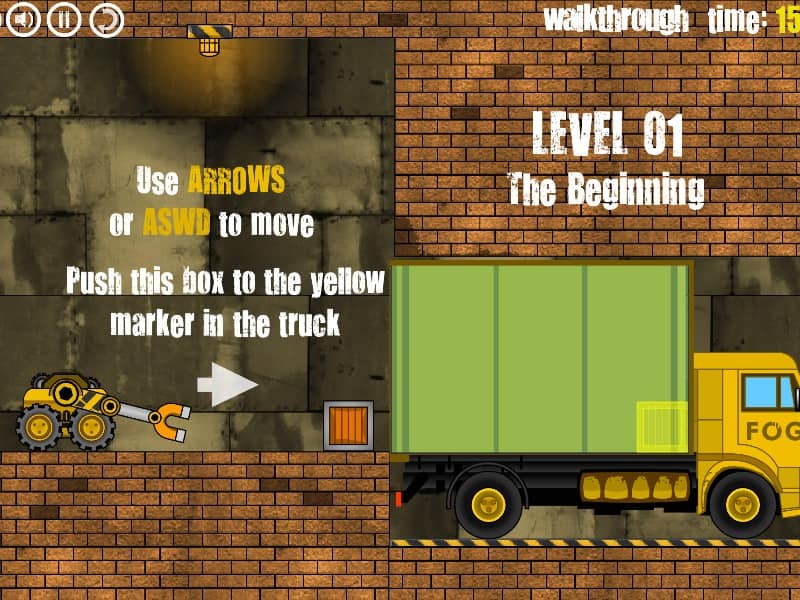
Drive the loader vehicle left and right using the WASD or Arrow keys, and press W or the Up Arrow to jump over gaps. Use your mouse to aim the mechanical arm, and hold the left mouse button to activate the magnet. This allows you to pick up, carry, and toss metal-plated cargo crates around the warehouse. Your objective is to place each crate into its designated highlighted position inside the transport truck, ensuring they are oriented correctly. As you advance, you must solve increasingly difficult physics puzzles by pressing buttons, operating elevators, and clearing paths. Carefully manage the momentum of your vehicle to avoid flipping over or trapping yourself in tight spaces.
Information
Play Truck Loader Online - FLASH FAQ
Can I play Truck Loader online for free?
Yes. You can play Truck Loader online for free in your browser on GGEMU, with no download required.
Can I play Truck Loader on mobile?
Yes. You can play Truck Loader on mobile devices and desktop browsers through GGEMU.
Can I save my progress in Truck Loader?
Truck Loader does not currently support GGEMU save states. If the game includes its own save feature, you can use that instead.
Do I need an emulator or special hardware to play Truck Loader?
No. Truck Loader runs directly in your browser on GGEMU, with no extra hardware or software required.
Can I play Truck Loader in fullscreen mode?
Yes. Truck Loader supports fullscreen mode on GGEMU for a more immersive experience.
Can I play Truck Loader with a gamepad or controller?
Yes. Truck Loader supports gamepad controls on GGEMU when a compatible controller is connected.