上传者 大帅
玩法介绍
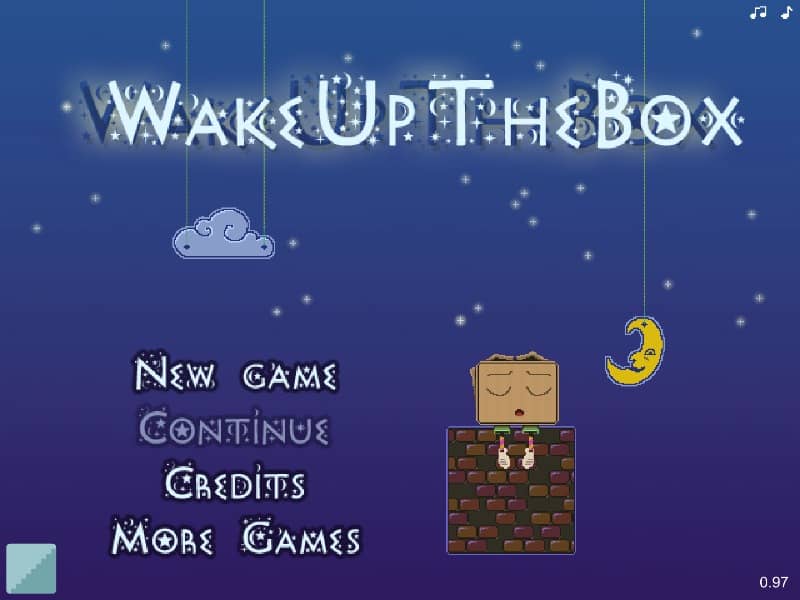
The main goal of the game is to wake up the sleeping, grumpy Mr. Box by disturbing his sleep and forcing him to move or fall off his perch. To achieve this, you must use your mouse to draw or attach various wooden shapes—such as circles, squares, and lines—onto existing wooden structures. Once drawn, these shapes instantly gain physical properties like gravity and mass, falling or pivoting to interact with the environment. Success depends on planning your designs to create levers, weights, and rolling objects. Analyze the level layout to identify pivot points and potential chain reactions. In the early stages, simple weights will suffice, but later levels require precise timing and complex structures to nudge the box. Focus on using the minimum amount of wood needed to trigger a reaction, ensuring your custom-drawn pieces swing or roll with enough momentum to displace the sleeping target.
游戏信息
在线玩 Wake up the box - FLASH 游戏常见问题
可以免费在线玩 Wake up the box 吗?
可以。你可以在 GGEMU 上直接通过浏览器免费在线玩 Wake up the box,无需下载。
可以在手机上玩 Wake up the box 吗?
可以。你可以通过 GGEMU 在手机等移动设备或电脑浏览器上玩 Wake up the box。
玩 Wake up the box 可以保存进度吗?
Wake up the box 目前不支持 GGEMU 即时存档。如果游戏自带存档功能,可以使用游戏内存档。
玩 Wake up the box 需要安装模拟器或准备专用硬件吗?
不需要。Wake up the box 可直接在 GGEMU 的浏览器页面中运行,无需额外的硬件或软件。
可以全屏玩 Wake up the box 吗?
可以。Wake up the box 在 GGEMU 上支持全屏模式,游玩时更具沉浸感。
可以用游戏手柄玩 Wake up the box 吗?
可以。连接兼容的游戏手柄后,即可在 GGEMU 上用手柄玩 Wake up the box。