So spielt man
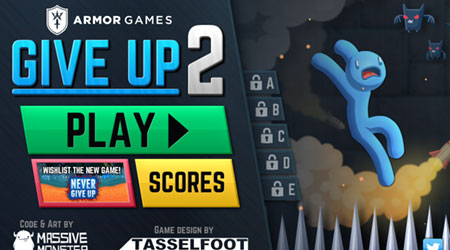
In Give Up 2, your objective is to guide your character through increasingly difficult platforming levels filled with spikes, lasers, and other instant-death obstacles. The game is played with simple keyboard controls - typically arrow keys for movement and sometimes a jump or action key. Each level requires precise timing and careful observation of obstacle patterns to progress. As a beginner, focus on learning the rhythm of moving platforms and timing your jumps carefully rather than rushing. The challenge escalates quickly, with later levels requiring pixel-perfect precision and memorization of complex trap sequences. During tense moments, patience is key - wait for safe openings rather than attempting risky maneuvers. The game autosaves your progress after each completed level, allowing you to retry difficult sections repeatedly until you master the required movements.
Spielinformationen
Give Up 2 online spielen – FLASH FAQ
Kann ich Give Up 2 kostenlos online spielen?
Ja. Du kannst Give Up 2 auf GGEMU kostenlos online im Browser spielen, ganz ohne Download.
Kann ich Give Up 2 auf dem Handy spielen?
Give Up 2 ist derzeit für Desktop-Browser optimiert und auf Mobilgeräten nicht verfügbar.
Kann ich meinen Spielstand in Give Up 2 speichern?
Give Up 2 unterstützt derzeit keine GGEMU-Speicherstände. Falls das Spiel eine eigene Speicherfunktion bietet, kannst du diese verwenden.
Brauche ich einen Emulator oder spezielle Hardware, um Give Up 2 zu spielen?
Nein. Give Up 2 läuft auf GGEMU direkt in deinem Browser, ohne zusätzliche Hard- oder Software.
Kann ich Give Up 2 im Vollbildmodus spielen?
Ja. Give Up 2 unterstützt auf GGEMU den Vollbildmodus für ein intensiveres Spielerlebnis.
Kann ich Give Up 2 mit einem Gamepad oder Controller spielen?
Ja. Wenn ein kompatibler Controller angeschlossen ist, kannst du Give Up 2 auf GGEMU mit dem Gamepad steuern.