Hochgeladen von 大帅
So spielt man
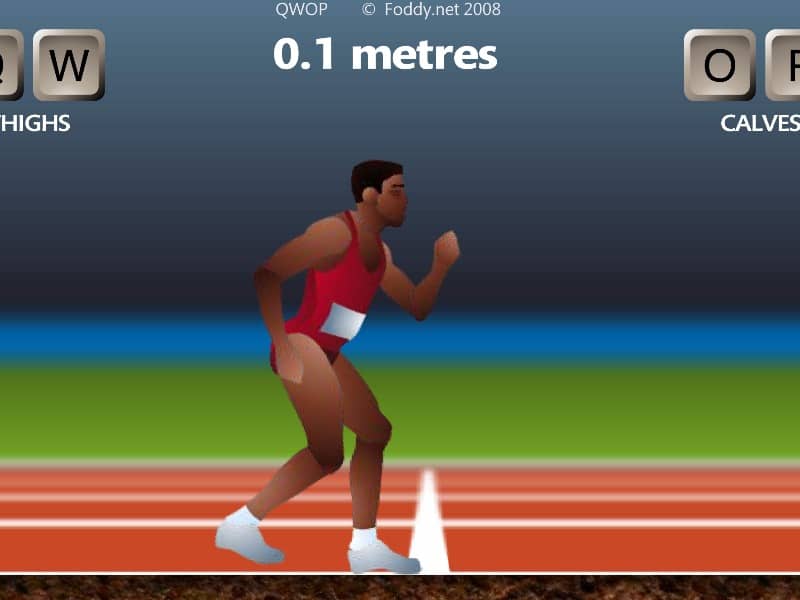
In QWOP, you control an Olympic sprinter attempting to run 100 meters using only four keys: Q and W for the right thigh and calf muscles, and O and P for the left thigh and calf muscles. The core objective is to coordinate these muscle movements to propel your athlete forward without falling. Beginners should start by practicing small, alternating movements - try pressing Q and O to lift the thighs, then W and P to extend the calves in a rhythmic pattern. Focus on maintaining balance rather than speed initially, as overextending will cause your runner to collapse. The challenge comes from the unintuitive control scheme and realistic physics that make even standing up difficult. During tense moments when your runner starts to wobble, quickly tap the opposite muscle keys to counterbalance. Advanced players can attempt the 'flailing' technique - rapidly alternating all four keys to generate forward momentum through chaotic but controlled falling and catching motions. Success requires patience and developing muscle memory for the delicate timing needed to chain together successful steps.
Spielinformationen
QWOP online spielen – FLASH FAQ
Kann ich QWOP kostenlos online spielen?
Ja. Du kannst QWOP auf GGEMU kostenlos online im Browser spielen, ganz ohne Download.
Kann ich QWOP auf dem Handy spielen?
Ja. Du kannst QWOP über GGEMU sowohl auf Mobilgeräten als auch in Desktop-Browsern spielen.
Kann ich meinen Spielstand in QWOP speichern?
QWOP unterstützt derzeit keine GGEMU-Speicherstände. Falls das Spiel eine eigene Speicherfunktion bietet, kannst du diese verwenden.
Brauche ich einen Emulator oder spezielle Hardware, um QWOP zu spielen?
Nein. QWOP läuft auf GGEMU direkt in deinem Browser, ohne zusätzliche Hard- oder Software.
Kann ich QWOP im Vollbildmodus spielen?
Ja. QWOP unterstützt auf GGEMU den Vollbildmodus für ein intensiveres Spielerlebnis.
Kann ich QWOP mit einem Gamepad oder Controller spielen?
Ja. Wenn ein kompatibler Controller angeschlossen ist, kannst du QWOP auf GGEMU mit dem Gamepad steuern.