Comment jouer
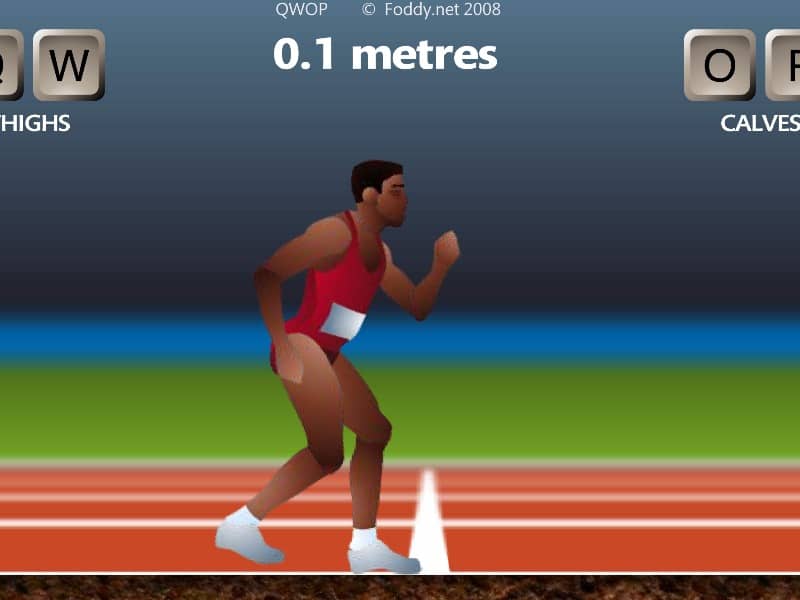
In QWOP, you control an Olympic sprinter attempting to run 100 meters using only four keys: Q and W for the right thigh and calf muscles, and O and P for the left thigh and calf muscles. The core objective is to coordinate these muscle movements to propel your athlete forward without falling. Beginners should start by practicing small, alternating movements - try pressing Q and O to lift the thighs, then W and P to extend the calves in a rhythmic pattern. Focus on maintaining balance rather than speed initially, as overextending will cause your runner to collapse. The challenge comes from the unintuitive control scheme and realistic physics that make even standing up difficult. During tense moments when your runner starts to wobble, quickly tap the opposite muscle keys to counterbalance. Advanced players can attempt the 'flailing' technique - rapidly alternating all four keys to generate forward momentum through chaotic but controlled falling and catching motions. Success requires patience and developing muscle memory for the delicate timing needed to chain together successful steps.
Informations sur le jeu
Jouer à QWOP en ligne – FAQ FLASH
Puis-je jouer gratuitement à QWOP en ligne ?
Oui. Vous pouvez jouer gratuitement à QWOP en ligne dans votre navigateur sur GGEMU, sans téléchargement.
Puis-je jouer à QWOP sur mobile ?
Oui. Vous pouvez jouer à QWOP avec GGEMU sur mobile comme dans un navigateur sur ordinateur.
Puis-je sauvegarder ma progression dans QWOP ?
QWOP ne prend pas encore en charge les sauvegardes instantanées de GGEMU. Si le jeu possède sa propre fonction de sauvegarde, vous pouvez l'utiliser.
Faut-il un émulateur ou du matériel spécial pour jouer à QWOP ?
Non. QWOP fonctionne directement dans votre navigateur sur GGEMU, sans matériel ni logiciel supplémentaire.
Puis-je jouer à QWOP en plein écran ?
Oui. QWOP prend en charge le mode plein écran sur GGEMU pour une expérience plus immersive.
Puis-je jouer à QWOP avec une manette ?
Oui. Vous pouvez jouer à QWOP avec une manette sur GGEMU lorsqu'un modèle compatible est connecté.