How to play
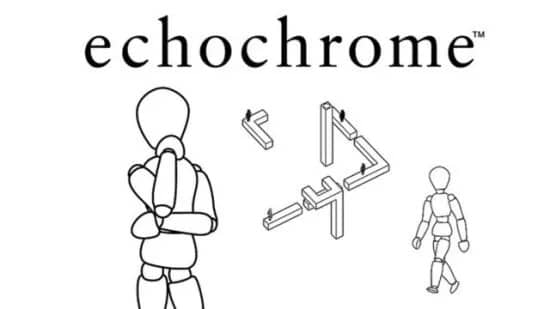
Your goal in Echochrome is to guide a walking mannequin figure to a silhouette goal marker by rotating the stage. The core mechanic is based on the rules of optical illusion: pathways that appear connected from your current camera angle become physically connected for the mannequin. If a gap is hidden behind another object, it ceases to exist. If a hole is obscured, the mannequin can walk over it safely. You do not control the mannequin directly; it walks autonomously along visible paths. Your only interaction is rotating the stage to change the perspective and create new connections or hide obstacles. A good beginner strategy is to slowly rotate the stage to observe how the pathways align and disconnect. Focus on creating a continuous, unobstructed path from the mannequin to the goal. In tense moments, when the mannequin is near a hazard, quickly adjust the perspective to make the hazard disappear from view. The challenge lies in visualizing the 3D structure and anticipating the consequences of each camera shift to solve each abstract puzzle.
Information
Play Echochrome Online - PlayStation Portable FAQ
Can I play Echochrome online for free?
Yes. You can play Echochrome online for free in your browser on GGEMU, with no download required.
Can I play Echochrome on mobile?
Echochrome is currently optimized for desktop browsers and is not available on mobile devices.
Can I save my progress in Echochrome?
Yes. Echochrome supports local save states on GGEMU. Cloud saves are also available to GGEMU Premium members.
Do I need an emulator or special hardware to play Echochrome?
No. GGEMU runs Echochrome in your browser, so you do not need original PlayStation Portable hardware or a separate emulator.
Can I play Echochrome in fullscreen mode?
Yes. Echochrome supports fullscreen mode on GGEMU for a more immersive experience.
Can I play Echochrome with a gamepad or controller?
Yes. Echochrome supports gamepad controls on GGEMU when a compatible controller is connected.