How to play
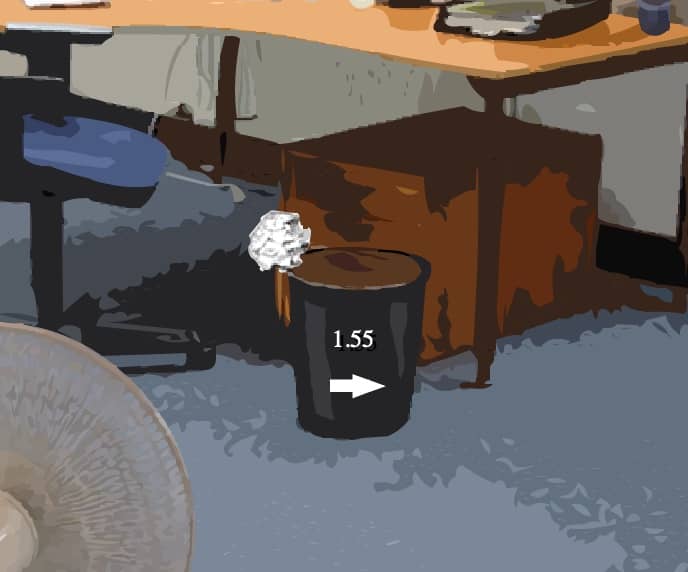
The core objective of Paper Toss is to successfully throw a crumpled paper ball into a trash can from a set distance. Each level presents a stationary trash can, and a fan of varying speed blows from right to left, creating wind resistance that affects the ball's trajectory. To play, you swipe or click and drag on the paper ball to set the angle and power of your throw, then release to launch it. The challenge is to judge the wind speed and adjust your aim accordingly. In the early stages, focus on getting a feel for the basic swipe mechanics and how the wind pushes the ball. As you progress, the fan speed increases, requiring more precise adjustments. A useful beginner strategy is to aim slightly to the right of the trash can to compensate for the wind pushing left. During tense moments, take a moment to watch the fan's animation to gauge the exact wind speed before making your throw. The game is played in a series of attempts, and the goal is to make as many consecutive shots as possible.
Information
Play Paper Toss Online - FLASH FAQ
Can I play Paper Toss online for free?
Yes. You can play Paper Toss online for free in your browser on GGEMU, with no download required.
Can I play Paper Toss on mobile?
Yes. You can play Paper Toss on mobile devices and desktop browsers through GGEMU.
Can I save my progress in Paper Toss?
Paper Toss does not currently support GGEMU save states. If the game includes its own save feature, you can use that instead.
Do I need an emulator or special hardware to play Paper Toss?
No. Paper Toss runs directly in your browser on GGEMU, with no extra hardware or software required.
Can I play Paper Toss in fullscreen mode?
Yes. Paper Toss supports fullscreen mode on GGEMU for a more immersive experience.
Can I play Paper Toss with a gamepad or controller?
Yes. Paper Toss supports gamepad controls on GGEMU when a compatible controller is connected.