Come giocare
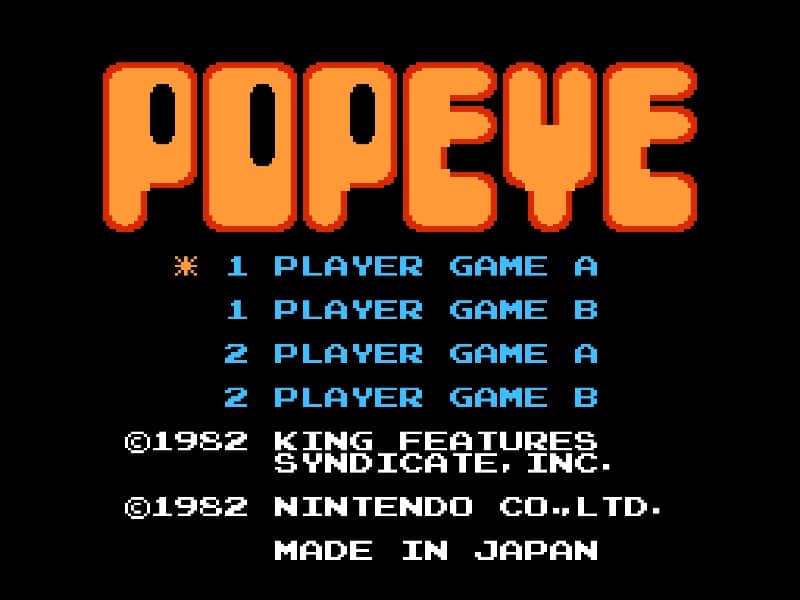
You play as Popeye the Sailor Man in this classic arcade-style action game. Your objective is to rescue Olive Oyl from the clutches of Bluto while navigating multiple platforms. Popeye must collect hearts that Olive Oyl drops from the top of the screen while avoiding enemies like the Sea Hag and her minions. Use the directional pad to move Popeye left and right across the platforms, and press the A button to jump between levels. The game features multiple screens with increasing difficulty. In the early stages, focus on learning the enemy patterns and timing your movements carefully. Popeye can temporarily defeat enemies by punching them after eating spinach, which appears randomly. The spinach gives you temporary invincibility and allows you to punch through obstacles and enemies. As you progress, the game becomes more challenging with faster enemies and more complex platform arrangements. Pay attention to the falling objects and time your jumps precisely to avoid getting hit. The key to success is strategic movement and making the most of your spinach power-ups when they appear.
Informazioni sul gioco
Gioca a POPEYE online - FAQ Famicom
Posso giocare gratis a POPEYE online?
Sì. Puoi giocare gratis a POPEYE online nel browser su GGEMU, senza scaricare nulla.
Posso giocare a POPEYE su smartphone?
Sì. Puoi giocare a POPEYE tramite GGEMU sia sui dispositivi mobili sia nei browser desktop.
Posso salvare i progressi in POPEYE?
Sì. POPEYE supporta gli stati di salvataggio locali su GGEMU. I membri di GGEMU Premium possono anche salvare nel cloud.
Mi servono un emulatore o hardware speciale per giocare a POPEYE?
No. GGEMU esegue POPEYE nel tuo browser, quindi non servono l'hardware originale Famicom o un emulatore separato.
Posso giocare a POPEYE a schermo intero?
Sì. POPEYE supporta la modalità a schermo intero su GGEMU per un'esperienza più coinvolgente.
Posso giocare a POPEYE con un gamepad o controller?
Sì. Se colleghi un controller compatibile, puoi usare il gamepad per giocare a POPEYE su GGEMU.