วิธีเล่น
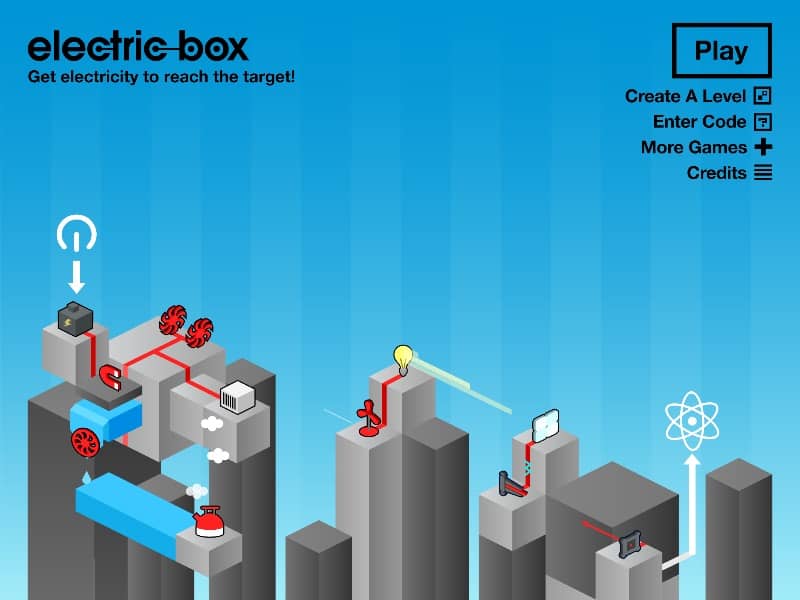
Your goal is to connect the power source to the light bulb by strategically placing and rotating various electrical components like wires, batteries, gears, and motors onto the game board. You start each level with a limited set of parts in your inventory. Drag components from the side panel onto the grid, connecting them to form a continuous path for the electrical current. Pay close attention to the direction of components like diodes, which only allow current to flow one way, and gears, which can transfer energy mechanically. Early on, focus on creating the simplest possible path from start to finish. As you progress, levels introduce more complex obstacles and require creative combinations of parts, such as using a motor to spin a gear that activates a switch. In tense moments, carefully check all connections for breaks or misaligned directions before hitting the power switch to test your circuit.
ข้อมูลเกม
เล่น Electric Box ออนไลน์ - คำถามที่พบบ่อยสำหรับเวอร์ชัน FLASH
เล่น Electric Box ออนไลน์ฟรีได้ไหม?
ได้ คุณสามารถเล่น Electric Box ออนไลน์ฟรีผ่านเบราว์เซอร์บน GGEMU โดยไม่ต้องดาวน์โหลด
เล่น Electric Box บนมือถือได้ไหม?
ได้ คุณสามารถเล่น Electric Box ผ่าน GGEMU ได้ทั้งบนอุปกรณ์มือถือและเบราว์เซอร์บนคอมพิวเตอร์
บันทึกความคืบหน้าใน Electric Box ได้ไหม?
ขณะนี้ Electric Box ยังไม่รองรับระบบเซฟสถานะเกมของ GGEMU หากเกมมีระบบบันทึกในตัว คุณสามารถใช้ระบบนั้นแทนได้
ต้องใช้โปรแกรมจำลองหรือฮาร์ดแวร์เฉพาะเพื่อเล่น Electric Box ไหม?
ไม่ต้อง Electric Box ทำงานโดยตรงในเบราว์เซอร์ผ่าน GGEMU โดยไม่ต้องใช้ฮาร์ดแวร์หรือซอฟต์แวร์เพิ่มเติม
เล่น Electric Box แบบเต็มหน้าจอได้ไหม?
ได้ Electric Box รองรับโหมดเต็มหน้าจอบน GGEMU เพื่อประสบการณ์เล่นเกมที่เต็มอารมณ์ยิ่งขึ้น
เล่น Electric Box ด้วยเกมแพดหรือคอนโทรลเลอร์ได้ไหม?
ได้ เมื่อเชื่อมต่อคอนโทรลเลอร์ที่รองรับ คุณสามารถควบคุม Electric Box ด้วยเกมแพดบน GGEMU ได้