Nasıl oynanır
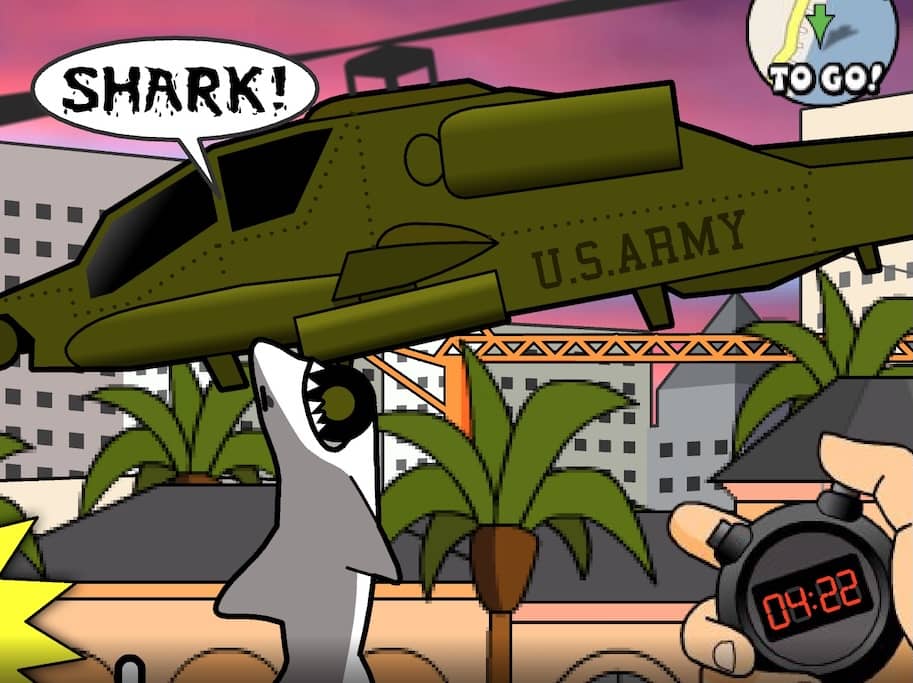
In Miami Shark, your objective is to survive as long as possible by eating everything in your path to grow your shark and increase your score. You control the shark with your mouse or keyboard, swimming through the ocean and Miami beaches. You start as a small shark and must eat fish, swimmers, and small boats to gain points and size. As you grow, you can attack larger prey like speedboats and helicopters. Avoid predators like larger sharks and explosive barrels, as they will damage you and reduce your size. The game gets progressively more challenging as time passes, with more dangerous enemies appearing. Focus on eating continuously to maintain your growth, and be strategic about when to attack high-value but risky targets to maximize your score before your health runs out.
Oyun Bilgileri
Miami Shark Online Oyna - FLASH SSS
Miami Shark oyununu çevrimiçi ve ücretsiz oynayabilir miyim?
Evet. Hiçbir şey indirmeden Miami Shark oyununu GGEMU üzerinden tarayıcınızda çevrimiçi ve ücretsiz oynayabilirsiniz.
Miami Shark oyununu mobil cihazda oynayabilir miyim?
Miami Shark şu anda masaüstü tarayıcılar için optimize edilmiştir ve mobil cihazlarda kullanılamaz.
Miami Shark oyunundaki ilerlememi kaydedebilir miyim?
Miami Shark şu anda GGEMU kayıt durumlarını desteklemiyor. Oyunun kendi kayıt özelliği varsa onu kullanabilirsiniz.
Miami Shark oynamak için emülatör veya özel donanım gerekir mi?
Hayır. Miami Shark, GGEMU üzerinden doğrudan tarayıcınızda çalışır ve ek donanım ya da yazılım gerektirmez.
Miami Shark oyununu tam ekran modunda oynayabilir miyim?
Evet. Miami Shark, daha sürükleyici bir deneyim için GGEMU'da tam ekran modunu destekler.
Miami Shark oyununu gamepad veya kontrolcüyle oynayabilir miyim?
Evet. Uyumlu bir kontrolcü bağlandığında Miami Shark oyununu GGEMU'da gamepad ile oynayabilirsiniz.