So spielt man
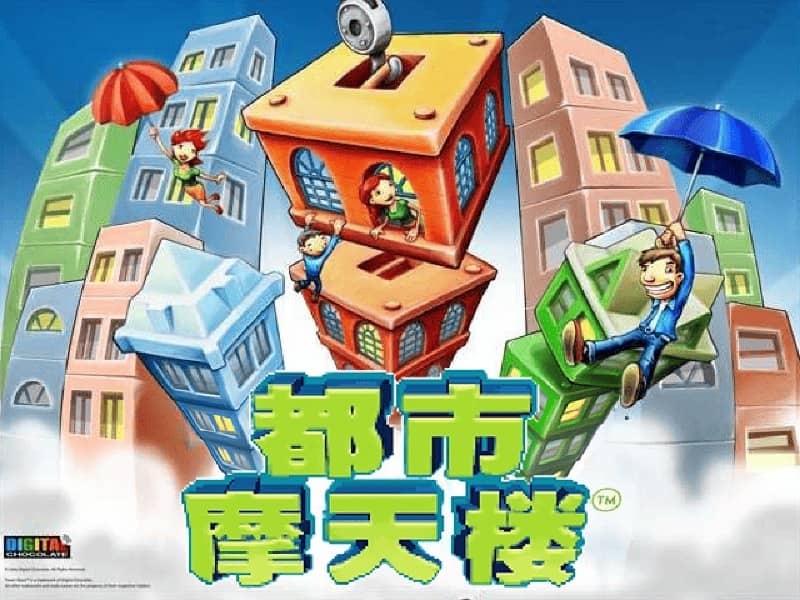
In TowerBloxx MyCity, your goal is to construct the tallest and most stable skyscrapers possible. You control a crane that swings back and forth, and you must tap or press a button at the right moment to drop a floor onto the growing tower below. Timing is critical: release too early or too late, and the floor will land off-center, causing the tower to tilt and become unstable. As you progress, you'll unlock new city districts and building types, each with unique visual themes and challenges. The game rewards precision and consistency. A good strategy is to watch the crane's pendulum motion and try to drop each block when the crane is directly above the center of the tower. In later levels, wind or speed variations may be introduced, requiring you to adjust your timing. Focus on building a solid base early on, as a wobbly foundation will make it nearly impossible to stack higher floors successfully during the more intense final stages of a building attempt.
Spielinformationen
TowerBloxx MyCity online spielen – Java FAQ
Kann ich TowerBloxx MyCity kostenlos online spielen?
Ja. Du kannst TowerBloxx MyCity auf GGEMU kostenlos online im Browser spielen, ganz ohne Download.
Kann ich TowerBloxx MyCity auf dem Handy spielen?
Ja. Du kannst TowerBloxx MyCity über GGEMU sowohl auf Mobilgeräten als auch in Desktop-Browsern spielen.
Kann ich meinen Spielstand in TowerBloxx MyCity speichern?
Ja. TowerBloxx MyCity unterstützt lokale Speicherstände auf GGEMU. Mitglieder von GGEMU Premium können Spielstände außerdem in der Cloud speichern.
Brauche ich einen Emulator oder spezielle Hardware, um TowerBloxx MyCity zu spielen?
Nein. GGEMU führt TowerBloxx MyCity in deinem Browser aus, sodass du weder originale Java-Hardware noch einen separaten Emulator benötigst.
Kann ich TowerBloxx MyCity im Vollbildmodus spielen?
Ja. TowerBloxx MyCity unterstützt auf GGEMU den Vollbildmodus für ein intensiveres Spielerlebnis.
Kann ich TowerBloxx MyCity mit einem Gamepad oder Controller spielen?
Ja. Wenn ein kompatibler Controller angeschlossen ist, kannst du TowerBloxx MyCity auf GGEMU mit dem Gamepad steuern.