How to play
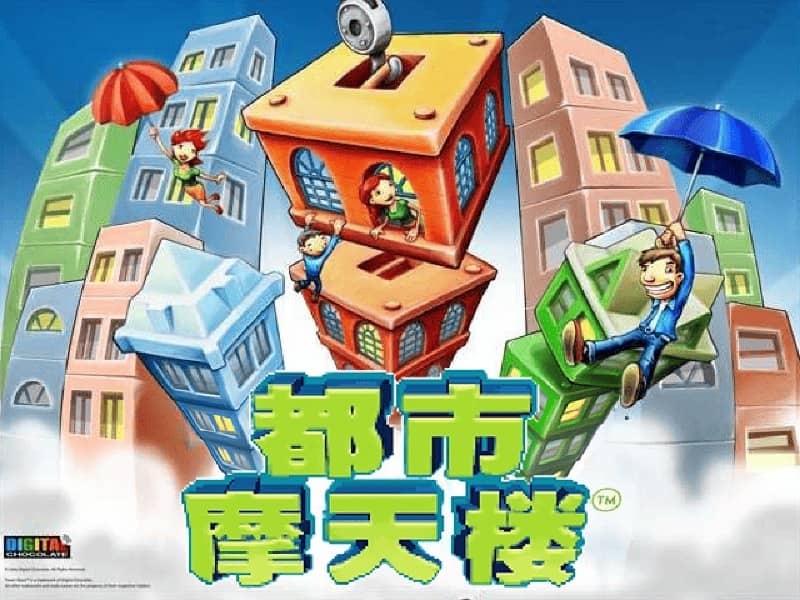
In TowerBloxx MyCity, your goal is to construct the tallest and most stable skyscrapers possible. You control a crane that swings back and forth, and you must tap or press a button at the right moment to drop a floor onto the growing tower below. Timing is critical: release too early or too late, and the floor will land off-center, causing the tower to tilt and become unstable. As you progress, you'll unlock new city districts and building types, each with unique visual themes and challenges. The game rewards precision and consistency. A good strategy is to watch the crane's pendulum motion and try to drop each block when the crane is directly above the center of the tower. In later levels, wind or speed variations may be introduced, requiring you to adjust your timing. Focus on building a solid base early on, as a wobbly foundation will make it nearly impossible to stack higher floors successfully during the more intense final stages of a building attempt.
Information
Play TowerBloxx MyCity Online - Java FAQ
Can I play TowerBloxx MyCity online for free?
Yes. You can play TowerBloxx MyCity online for free in your browser on GGEMU, with no download required.
Can I play TowerBloxx MyCity on mobile?
Yes. You can play TowerBloxx MyCity on mobile devices and desktop browsers through GGEMU.
Can I save my progress in TowerBloxx MyCity?
Yes. TowerBloxx MyCity supports local save states on GGEMU. Cloud saves are also available to GGEMU Premium members.
Do I need an emulator or special hardware to play TowerBloxx MyCity?
No. GGEMU runs TowerBloxx MyCity in your browser, so you do not need original Java hardware or a separate emulator.
Can I play TowerBloxx MyCity in fullscreen mode?
Yes. TowerBloxx MyCity supports fullscreen mode on GGEMU for a more immersive experience.
Can I play TowerBloxx MyCity with a gamepad or controller?
Yes. TowerBloxx MyCity supports gamepad controls on GGEMU when a compatible controller is connected.