How to play
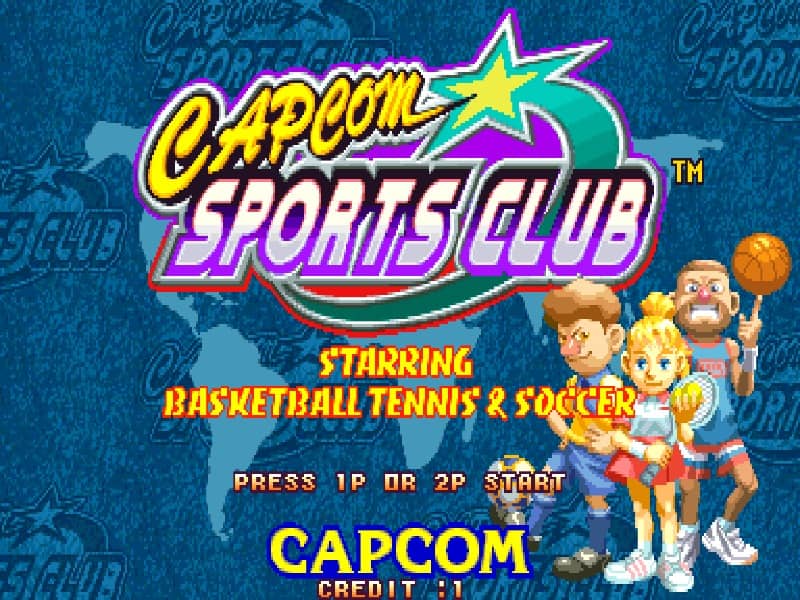
In Capcom Sports Club, you select one of five sports events to compete in, each with its own simple controls and rules. The core objective is to outscore the computer or a second player within the time limit of each match. Moment-to-moment play involves using the joystick to move your character and one or two action buttons to perform sport-specific actions like shooting a ball, swinging a racket, or tackling an opponent. A useful beginner strategy is to focus on learning the timing for each sport's primary action, such as the power meter for golf swings or the jump shot arc in basketball. The challenge rhythm is fast and arcade-like, with matches designed to be quick and intense. Early in a run, focus on understanding the basic controls and scoring opportunities. In the middle of a match, prioritize positioning and anticipating the opponent's moves. During tense final moments, play defensively to protect a lead or aggressively to mount a comeback.
Information
Play Capcom Sports Club Online - Arcade FAQ
Can I play Capcom Sports Club online for free?
Yes. You can play Capcom Sports Club online for free in your browser on GGEMU, with no download required.
Can I play Capcom Sports Club on mobile?
Yes. You can play Capcom Sports Club on mobile devices and desktop browsers through GGEMU.
Can I save my progress in Capcom Sports Club?
Yes. Capcom Sports Club supports local save states on GGEMU. Cloud saves are also available to GGEMU Premium members.
Do I need an emulator or special hardware to play Capcom Sports Club?
No. GGEMU runs Capcom Sports Club in your browser, so you do not need original Arcade hardware or a separate emulator.
Can I play Capcom Sports Club in fullscreen mode?
Yes. Capcom Sports Club supports fullscreen mode on GGEMU for a more immersive experience.
Can I play Capcom Sports Club with a gamepad or controller?
Yes. Capcom Sports Club supports gamepad controls on GGEMU when a compatible controller is connected.