How to play
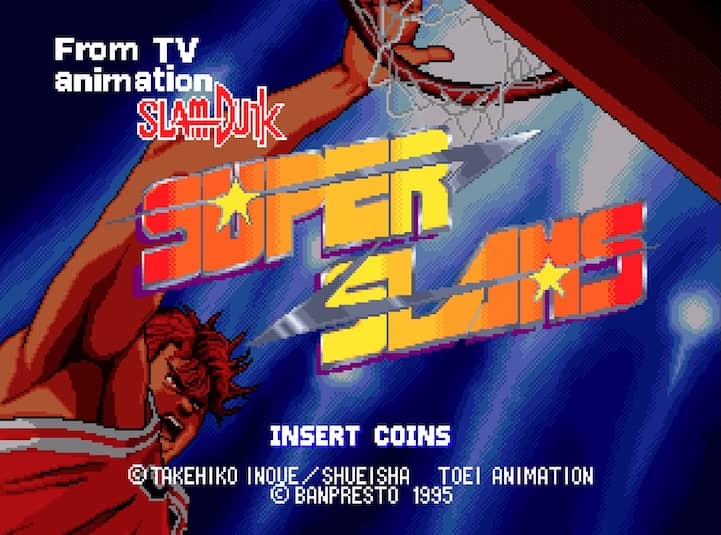
The core objective is to outscore the opposing team within the time limit. You control one of two characters on your team, with the computer controlling your teammate. Use the joystick to move your player and the buttons to pass, shoot, steal the ball, or perform a jump shot. Timing is crucial for making baskets, especially when attempting powerful special slam dunks that require you to be close to the hoop and press the shoot button at the right moment. A key beginner strategy is to focus on passing to create open shots rather than forcing difficult attempts. In the early part of a match, focus on learning your character's movement and shot timing. During the middle of the game, use steals and blocks to disrupt the opponent's rhythm. In tense final moments, prioritize high-percentage shots and use your character's unique super move when you have a clear path to the basket to secure a decisive lead.
Information
Play TV Animation Slam Dunk: Super SLAMS Online - Arcade FAQ
Can I play TV Animation Slam Dunk: Super SLAMS online for free?
Yes. You can play TV Animation Slam Dunk: Super SLAMS online for free in your browser on GGEMU, with no download required.
Can I play TV Animation Slam Dunk: Super SLAMS on mobile?
Yes. You can play TV Animation Slam Dunk: Super SLAMS on mobile devices and desktop browsers through GGEMU.
Can I save my progress in TV Animation Slam Dunk: Super SLAMS?
Yes. TV Animation Slam Dunk: Super SLAMS supports local save states on GGEMU. Cloud saves are also available to GGEMU Premium members.
Do I need an emulator or special hardware to play TV Animation Slam Dunk: Super SLAMS?
No. GGEMU runs TV Animation Slam Dunk: Super SLAMS in your browser, so you do not need original Arcade hardware or a separate emulator.
Can I play TV Animation Slam Dunk: Super SLAMS in fullscreen mode?
Yes. TV Animation Slam Dunk: Super SLAMS supports fullscreen mode on GGEMU for a more immersive experience.
Can I play TV Animation Slam Dunk: Super SLAMS with a gamepad or controller?
Yes. TV Animation Slam Dunk: Super SLAMS supports gamepad controls on GGEMU when a compatible controller is connected.