Cómo jugar
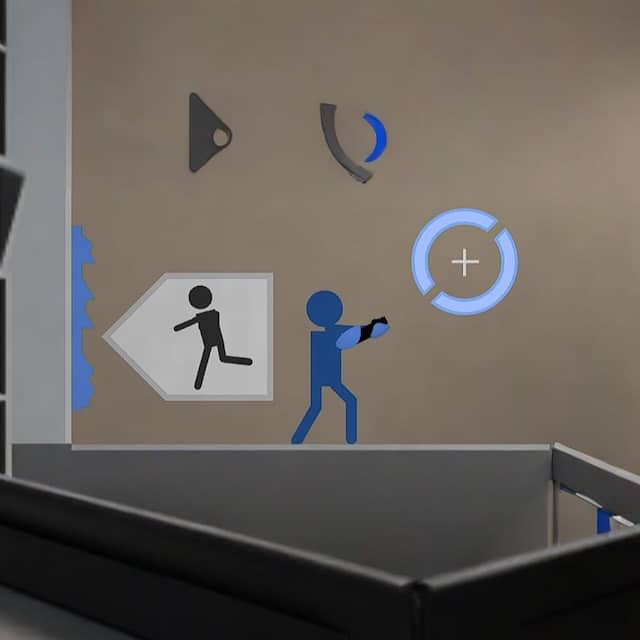
In Portal: The Flash Version, your goal is to guide your character through a series of test chambers by solving physics-based puzzles using a portal gun. You can shoot two linked portals—one orange and one blue—onto flat, white surfaces. Entering one portal instantly transports you to the other. Use this mechanic to overcome gaps, avoid hazards like energy balls and turrets, and reach the exit door in each room. The game requires careful observation of room layouts and timing to place portals effectively, such as creating momentum by falling through a portal to launch across a gap. Portal: The Flash Version usually rewards players who understand the main gameplay loop before trying to force speed or risky plays. Start each session by identifying what the game is really asking from you: survive, clear stages, control space, defeat key threats, manage time, or build score efficiently. That mindset helps you avoid random mistakes and gives every action a purpose, especially during the opening minutes when patterns, enemy pressure, and item timing are still being learned. Because this title fits a Action, Puzzle structure on FLASH platform, your first practical goal should be consistency rather than aggression. Pay attention to movement range, attack reach, recovery timing, hazard locations, spawn patterns, and any visual cues that signal danger or reward. A strong early approach is to learn how much room you need to reposition safely, when enemies become vulnerable, and which situations invite greedy play. If you can control spacing and tempo, the rest of the run becomes much easier to read. A 2D Flash-based puzzle-platformer inspired by Valve's Portal, where players use a handheld portal gun to solve spatial puzzles by creating linked portals to navigate rooms and byp...
Información del juego
Jugar a Portal: The Flash Version online - Preguntas frecuentes de FLASH
¿Puedo jugar a Portal: The Flash Version online gratis?
Sí. Puedes jugar a Portal: The Flash Version online gratis desde el navegador en GGEMU, sin descargar nada.
¿Puedo jugar a Portal: The Flash Version en el móvil?
Portal: The Flash Version está optimizado actualmente para navegadores de escritorio y no está disponible en dispositivos móviles.
¿Puedo guardar mi progreso en Portal: The Flash Version?
Portal: The Flash Version no admite actualmente los estados de guardado de GGEMU. Si el juego incluye su propia función de guardado, puedes utilizarla.
¿Necesito un emulador o hardware especial para jugar a Portal: The Flash Version?
No. Portal: The Flash Version se ejecuta directamente en tu navegador desde GGEMU, sin necesidad de hardware ni software adicional.
¿Puedo jugar a Portal: The Flash Version en pantalla completa?
Sí. Portal: The Flash Version admite el modo de pantalla completa en GGEMU para ofrecer una experiencia más inmersiva.
¿Puedo jugar a Portal: The Flash Version con un mando?
Sí. Puedes controlar Portal: The Flash Version con un mando en GGEMU cuando conectes uno compatible.