Caricato da 大帅
Come giocare
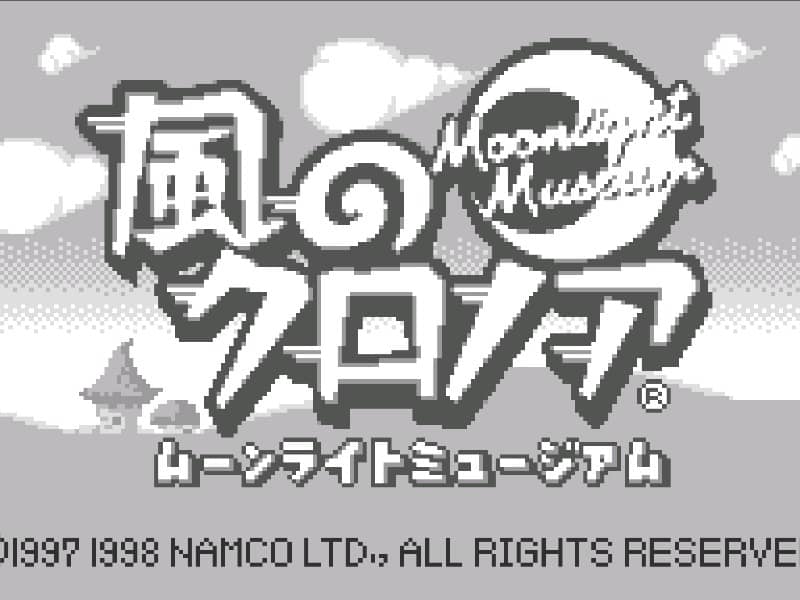
Your goal is to navigate Klonoa through the side-scrolling stages of the Moonlight Museum. You primarily use the Wind Bullet to grab and throw enemies. Thrown enemies can be used as projectiles to defeat other foes or as stepping stones to reach higher platforms by performing a double jump. Each stage contains Dream Stones to collect and puzzles that require strategic enemy grabbing and throwing to proceed. The core challenge involves precise platforming and quick thinking to use enemies as both weapons and tools. In the early stages, focus on mastering the timing of the grab-and-throw mechanic. As you progress, you'll encounter more complex environmental puzzles where you must chain enemy throws to activate switches or create paths. During tense moments, prioritize dodging hazards while lining up your shots carefully, as a misthrown enemy can leave you vulnerable.
Informazioni sul gioco
Gioca a Kaze no Klonoa: Moonlight Museum online - FAQ WonderSwan
Posso giocare gratis a Kaze no Klonoa: Moonlight Museum online?
Sì. Puoi giocare gratis a Kaze no Klonoa: Moonlight Museum online nel browser su GGEMU, senza scaricare nulla.
Posso giocare a Kaze no Klonoa: Moonlight Museum su smartphone?
Sì. Puoi giocare a Kaze no Klonoa: Moonlight Museum tramite GGEMU sia sui dispositivi mobili sia nei browser desktop.
Posso salvare i progressi in Kaze no Klonoa: Moonlight Museum?
Sì. Kaze no Klonoa: Moonlight Museum supporta gli stati di salvataggio locali su GGEMU. I membri di GGEMU Premium possono anche salvare nel cloud.
Mi servono un emulatore o hardware speciale per giocare a Kaze no Klonoa: Moonlight Museum?
No. GGEMU esegue Kaze no Klonoa: Moonlight Museum nel tuo browser, quindi non servono l'hardware originale WonderSwan o un emulatore separato.
Posso giocare a Kaze no Klonoa: Moonlight Museum a schermo intero?
Sì. Kaze no Klonoa: Moonlight Museum supporta la modalità a schermo intero su GGEMU per un'esperienza più coinvolgente.
Posso giocare a Kaze no Klonoa: Moonlight Museum con un gamepad o controller?
Sì. Se colleghi un controller compatibile, puoi usare il gamepad per giocare a Kaze no Klonoa: Moonlight Museum su GGEMU.