플레이 방법
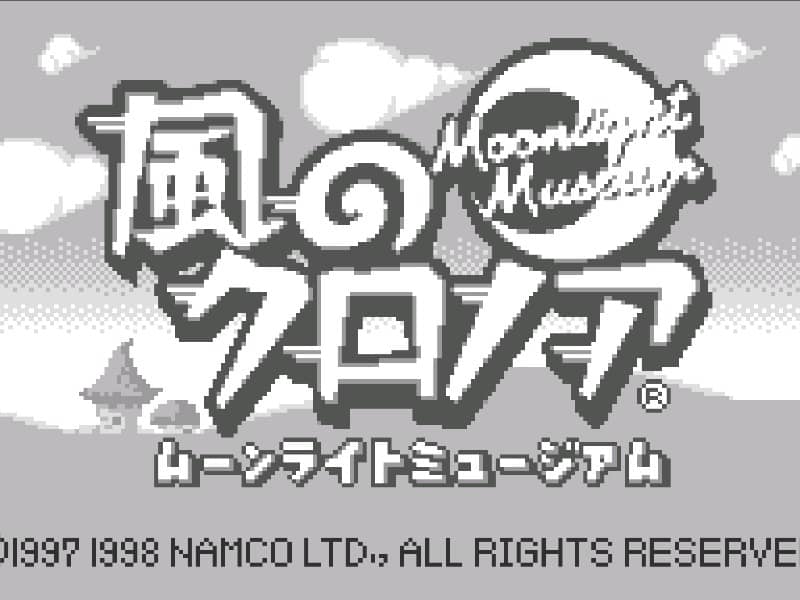
Your goal is to navigate Klonoa through the side-scrolling stages of the Moonlight Museum. You primarily use the Wind Bullet to grab and throw enemies. Thrown enemies can be used as projectiles to defeat other foes or as stepping stones to reach higher platforms by performing a double jump. Each stage contains Dream Stones to collect and puzzles that require strategic enemy grabbing and throwing to proceed. The core challenge involves precise platforming and quick thinking to use enemies as both weapons and tools. In the early stages, focus on mastering the timing of the grab-and-throw mechanic. As you progress, you'll encounter more complex environmental puzzles where you must chain enemy throws to activate switches or create paths. During tense moments, prioritize dodging hazards while lining up your shots carefully, as a misthrown enemy can leave you vulnerable.
게임 정보
Kaze no Klonoa: Moonlight Museum 온라인 플레이 - WonderSwan 버전 자주 묻는 질문
Kaze no Klonoa: Moonlight Museum을 무료로 온라인 플레이할 수 있나요?
네. 별도의 다운로드 없이 GGEMU 브라우저에서 Kaze no Klonoa: Moonlight Museum을 무료로 온라인 플레이할 수 있습니다.
Kaze no Klonoa: Moonlight Museum을 모바일에서 플레이할 수 있나요?
네. GGEMU를 통해 모바일 기기와 데스크톱 브라우저에서 모두 Kaze no Klonoa: Moonlight Museum을 플레이할 수 있습니다.
Kaze no Klonoa: Moonlight Museum의 진행 상황을 저장할 수 있나요?
네. Kaze no Klonoa: Moonlight Museum은 GGEMU의 로컬 세이브 스테이트를 지원합니다. GGEMU Premium 회원은 클라우드 저장도 이용할 수 있습니다.
Kaze no Klonoa: Moonlight Museum을 플레이하려면 에뮬레이터나 전용 하드웨어가 필요한가요?
아니요. GGEMU가 브라우저에서 Kaze no Klonoa: Moonlight Museum을 실행하므로 WonderSwan 실기나 별도의 에뮬레이터가 필요하지 않습니다.
Kaze no Klonoa: Moonlight Museum을 전체 화면으로 플레이할 수 있나요?
네. Kaze no Klonoa: Moonlight Museum은 GGEMU의 전체 화면 모드를 지원해 더욱 몰입감 있게 즐길 수 있습니다.
Kaze no Klonoa: Moonlight Museum을 게임패드나 컨트롤러로 플레이할 수 있나요?
네. 호환되는 컨트롤러를 연결하면 GGEMU에서 게임패드로 Kaze no Klonoa: Moonlight Museum을 플레이할 수 있습니다.