Yükleyen: 大帅
Nasıl oynanır
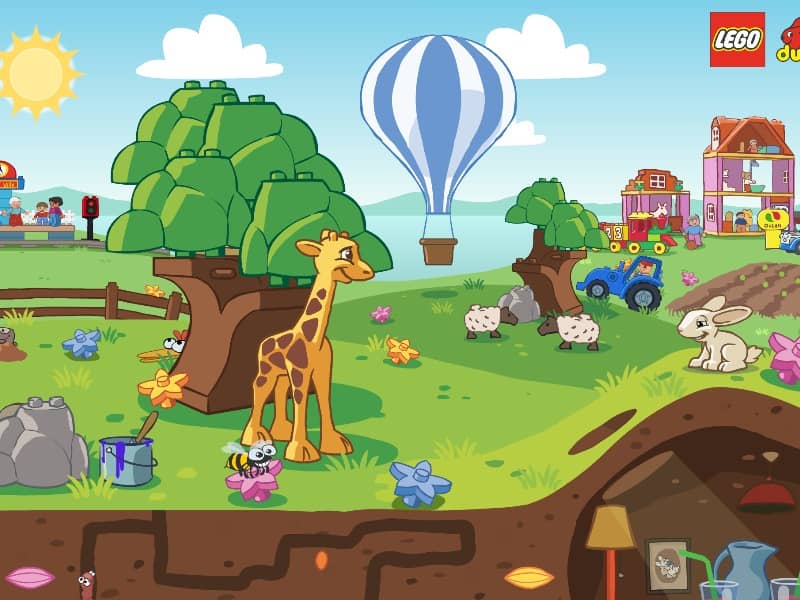
In Quick Spot, the primary objective is to identify the differences between two seemingly identical images displayed on the Nintendo DS screens. Using the DS stylus on the bottom touch screen, tap directly on the discrepancies, which can range from color changes and missing objects to entirely different items. You must work quickly as you are playing against a timer, with each correct find advancing you to the next puzzle and incorrect guesses penalizing your remaining time. To succeed in the fast-paced modes, focus on scanning the images systematically rather than looking at them as a whole. Start by comparing large shapes, then quickly move to smaller details and background elements. In tense moments when the timer is running low, avoid random guessing, as the time penalty for mistakes can quickly end your run. Instead, maintain a steady rhythm of scanning and precise tapping to build up your score multipliers.
Oyun Bilgileri
Quick Spot Online Oyna - Nintendo DS SSS
Quick Spot oyununu çevrimiçi ve ücretsiz oynayabilir miyim?
Evet. Hiçbir şey indirmeden Quick Spot oyununu GGEMU üzerinden tarayıcınızda çevrimiçi ve ücretsiz oynayabilirsiniz.
Quick Spot oyununu mobil cihazda oynayabilir miyim?
Evet. Quick Spot oyununu GGEMU üzerinden hem mobil cihazlarda hem de masaüstü tarayıcılarda oynayabilirsiniz.
Quick Spot oyunundaki ilerlememi kaydedebilir miyim?
Evet. Quick Spot, GGEMU'da yerel kayıt durumlarını destekler. GGEMU Premium üyeleri bulut kayıt özelliğini de kullanabilir.
Quick Spot oynamak için emülatör veya özel donanım gerekir mi?
Hayır. GGEMU, Quick Spot oyununu tarayıcınızda çalıştırır; orijinal Nintendo DS donanımına veya ayrı bir emülatöre ihtiyacınız yoktur.
Quick Spot oyununu tam ekran modunda oynayabilir miyim?
Evet. Quick Spot, daha sürükleyici bir deneyim için GGEMU'da tam ekran modunu destekler.
Quick Spot oyununu gamepad veya kontrolcüyle oynayabilir miyim?
Evet. Uyumlu bir kontrolcü bağlandığında Quick Spot oyununu GGEMU'da gamepad ile oynayabilirsiniz.