Mis en ligne par 大帅
Comment jouer
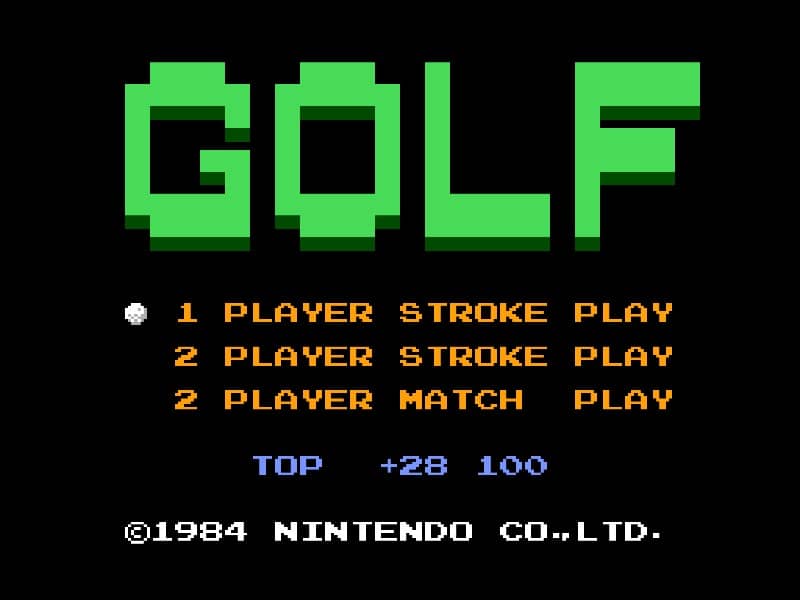
In Golf for Famicom, your objective is to complete each hole in as few strokes as possible. The game begins by selecting your club and adjusting your shot power and direction. Use the D-pad to aim your shot, considering wind direction and obstacles like sand traps and water hazards. Press the A button to start your power meter, then press it again to set the power level. A third press determines the accuracy of your shot - timing is crucial for straight drives. On the green, switch to your putter and carefully read the slope of the terrain to sink your putt. Beginners should focus on mastering the three-button swing mechanic first before attempting risky shots. Pay attention to the wind indicator and avoid hazards by using conservative club selections. As you progress, learn to use different clubs effectively - woods for distance, irons for precision, and the wedge for getting out of tricky situations. The game's challenge comes from reading the course layout and adapting your strategy hole by hole.
Informations sur le jeu
Jouer à Golf en ligne – FAQ Famicom
Puis-je jouer gratuitement à Golf en ligne ?
Oui. Vous pouvez jouer gratuitement à Golf en ligne dans votre navigateur sur GGEMU, sans téléchargement.
Puis-je jouer à Golf sur mobile ?
Oui. Vous pouvez jouer à Golf avec GGEMU sur mobile comme dans un navigateur sur ordinateur.
Puis-je sauvegarder ma progression dans Golf ?
Oui. Golf prend en charge les sauvegardes instantanées locales sur GGEMU. Les membres GGEMU Premium peuvent également sauvegarder dans le cloud.
Faut-il un émulateur ou du matériel spécial pour jouer à Golf ?
Non. GGEMU exécute Golf dans votre navigateur : vous n'avez besoin ni du matériel Famicom d'origine ni d'un émulateur séparé.
Puis-je jouer à Golf en plein écran ?
Oui. Golf prend en charge le mode plein écran sur GGEMU pour une expérience plus immersive.
Puis-je jouer à Golf avec une manette ?
Oui. Vous pouvez jouer à Golf avec une manette sur GGEMU lorsqu'un modèle compatible est connecté.