遊び方
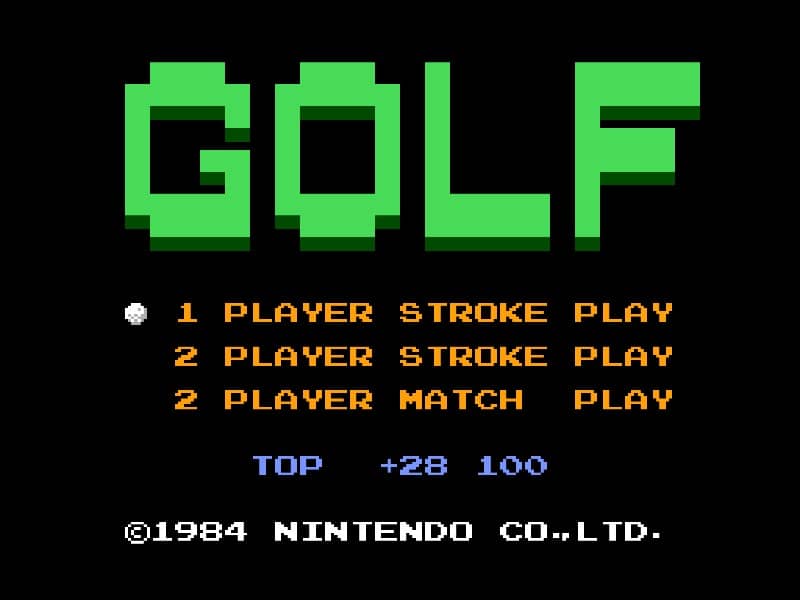
In Golf for Famicom, your objective is to complete each hole in as few strokes as possible. The game begins by selecting your club and adjusting your shot power and direction. Use the D-pad to aim your shot, considering wind direction and obstacles like sand traps and water hazards. Press the A button to start your power meter, then press it again to set the power level. A third press determines the accuracy of your shot - timing is crucial for straight drives. On the green, switch to your putter and carefully read the slope of the terrain to sink your putt. Beginners should focus on mastering the three-button swing mechanic first before attempting risky shots. Pay attention to the wind indicator and avoid hazards by using conservative club selections. As you progress, learn to use different clubs effectively - woods for distance, irons for precision, and the wedge for getting out of tricky situations. The game's challenge comes from reading the course layout and adapting your strategy hole by hole.
ゲーム情報
Golfをオンラインでプレイ – Famicom版のよくある質問
Golfは無料でオンラインプレイできますか?
はい。ダウンロード不要で、GGEMUのブラウザ上からGolfを無料でオンラインプレイできます。
Golfはスマートフォンで遊べますか?
はい。GGEMUなら、スマートフォンなどのモバイル端末でもパソコンのブラウザでもGolfをプレイできます。
Golfの進行状況を保存できますか?
はい。GolfはGGEMUのローカルセーブステートに対応しています。GGEMU Premium会員はクラウドセーブも利用できます。
Golfを遊ぶにはエミュレーターや専用ハードが必要ですか?
いいえ。GGEMUがブラウザ上でGolfを動かすため、Famicomの実機や別のエミュレーターは必要ありません。
Golfはフルスクリーンで遊べますか?
はい。GolfはGGEMUのフルスクリーンモードに対応しており、より没入感のあるプレイを楽しめます。
Golfはゲームパッドやコントローラーで遊べますか?
はい。対応コントローラーを接続すれば、GGEMUでGolfをゲームパッド操作できます。