玩法介紹
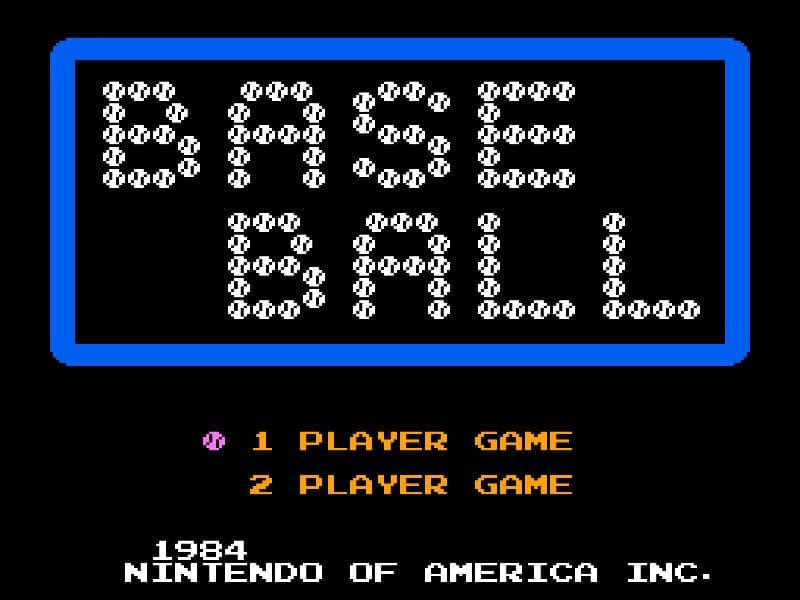
In Baseball for the Famicom, you control a full baseball team during a nine-inning game. As the batting team, your goal is to score runs by hitting the ball and running the bases. Time your swing with the A button when the pitch arrives to make contact. A well-timed hit can result in a single, double, triple, or even a home run. After hitting, use the D-pad to control your runner's advancement around the bases. As the fielding team, you pitch by selecting a type of pitch with the D-pad and throwing with the B button. After the ball is hit, you automatically control the fielder nearest to the ball. Press the A button to throw to a base to try to get the runner out. Early on, focus on learning the timing for batting and the basic controls for fielding. In the middle innings, pay attention to the opposing team's pitching patterns and position your fielders wisely. During tense moments, such as with bases loaded, concentrate on making solid contact at the plate or executing quick, accurate throws in the field to prevent runs.
遊戲資訊
線上玩 Baseball - Famicom 遊戲常見問題
可以免費線上玩 Baseball 嗎?
可以。你可以在 GGEMU 上直接透過瀏覽器免費線上玩 Baseball,無需下載。
可以在手機上玩 Baseball 嗎?
可以。你可以透過 GGEMU 在手機等流動裝置或電腦瀏覽器上玩 Baseball。
玩 Baseball 可以儲存進度嗎?
可以。Baseball 支援 GGEMU 本機即時存檔;GGEMU Premium 會員還可以使用雲端存檔。
玩 Baseball 需要安裝模擬器或準備專用硬件嗎?
不需要。GGEMU 會直接在瀏覽器中運行 Baseball,無需原裝 Famicom 硬件,也不用另外安裝模擬器。
可以全螢幕玩 Baseball 嗎?
可以。Baseball 在 GGEMU 上支援全螢幕模式,遊玩時更具沉浸感。
可以用遊戲手掣或控制器玩 Baseball 嗎?
可以。連接兼容的遊戲手掣或控制器後,即可在 GGEMU 上用手掣玩 Baseball。