Come giocare
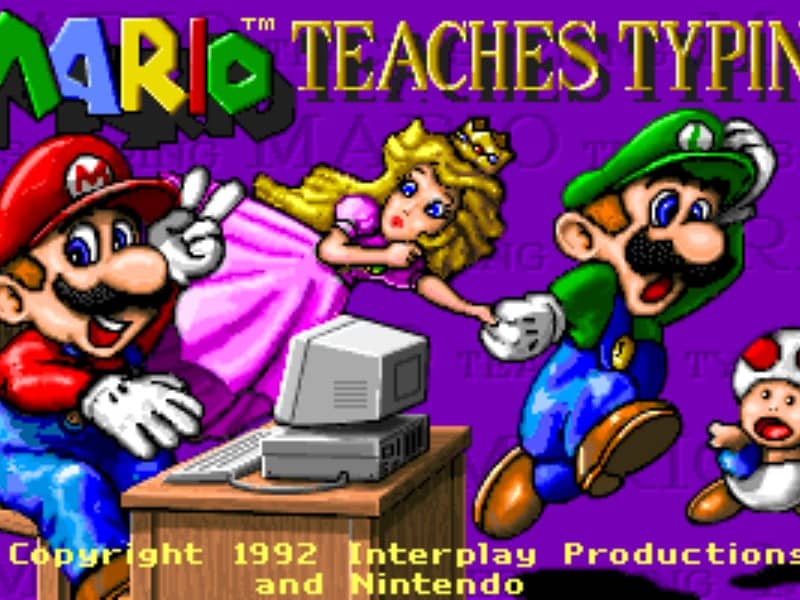
The main objective is to type the characters shown on the screen accurately and quickly to guide Mario and his friends past obstacles. Players can select from several different mini-games of varying difficulty. In the simpler levels, you type single letters to help Mario smash blocks or stomp on enemies like Goombas and Koopa Troopas. As you advance to harder levels, you must type full words and complete sentences to help Mario swim through the ocean or run through a dangerous castle. To succeed, focus on proper hand placement on your physical keyboard. The game displays on-screen hands to guide your finger positions and teach you touch typing. In the early stages, prioritize accuracy over speed to build muscle memory. As you transition to full sentences, focus on maintaining a steady typing rhythm to help Mario smoothly jump over hazards, evade traps, and complete his quest before the timer runs out.
Informazioni sul gioco
Gioca a Mario Teaches Typing online - FAQ DOS
Posso giocare gratis a Mario Teaches Typing online?
Sì. Puoi giocare gratis a Mario Teaches Typing online nel browser su GGEMU, senza scaricare nulla.
Posso giocare a Mario Teaches Typing su smartphone?
Sì. Puoi giocare a Mario Teaches Typing tramite GGEMU sia sui dispositivi mobili sia nei browser desktop.
Posso salvare i progressi in Mario Teaches Typing?
Sì. Mario Teaches Typing supporta gli stati di salvataggio locali su GGEMU. I membri di GGEMU Premium possono anche salvare nel cloud.
Mi servono un emulatore o hardware speciale per giocare a Mario Teaches Typing?
No. Mario Teaches Typing funziona nel tuo browser su GGEMU, quindi non servono un ambiente DOS o un emulatore separato.
Posso giocare a Mario Teaches Typing a schermo intero?
Sì. Mario Teaches Typing supporta la modalità a schermo intero su GGEMU per un'esperienza più coinvolgente.
Posso giocare a Mario Teaches Typing con un gamepad o controller?
Sì. Se colleghi un controller compatibile, puoi usare il gamepad per giocare a Mario Teaches Typing su GGEMU.