玩法介紹
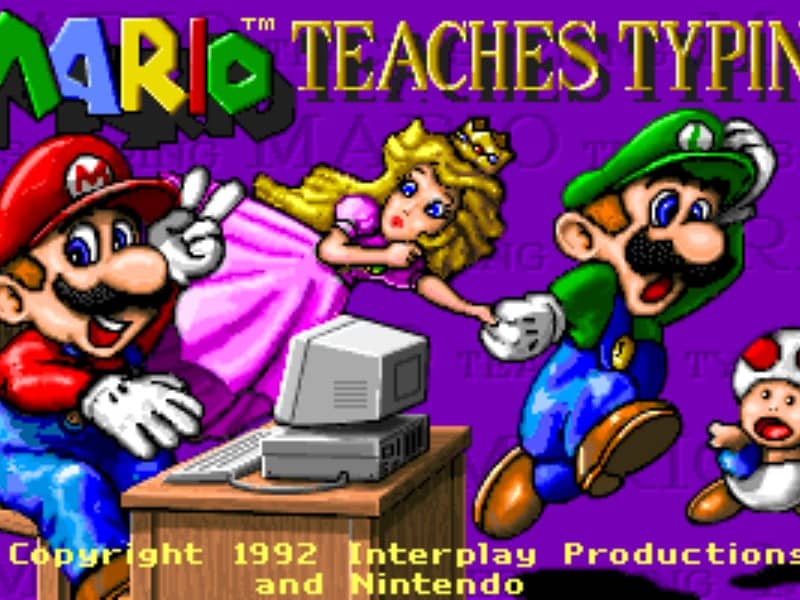
The main objective is to type the characters shown on the screen accurately and quickly to guide Mario and his friends past obstacles. Players can select from several different mini-games of varying difficulty. In the simpler levels, you type single letters to help Mario smash blocks or stomp on enemies like Goombas and Koopa Troopas. As you advance to harder levels, you must type full words and complete sentences to help Mario swim through the ocean or run through a dangerous castle. To succeed, focus on proper hand placement on your physical keyboard. The game displays on-screen hands to guide your finger positions and teach you touch typing. In the early stages, prioritize accuracy over speed to build muscle memory. As you transition to full sentences, focus on maintaining a steady typing rhythm to help Mario smoothly jump over hazards, evade traps, and complete his quest before the timer runs out.
遊戲資訊
線上玩 Mario Teaches Typing - DOS 遊戲常見問題
可以免費線上玩 Mario Teaches Typing 嗎?
可以。你可以在 GGEMU 上直接透過瀏覽器免費線上玩 Mario Teaches Typing,無需下載。
可以在手機上玩 Mario Teaches Typing 嗎?
可以。你可以透過 GGEMU 在手機等流動裝置或電腦瀏覽器上玩 Mario Teaches Typing。
玩 Mario Teaches Typing 可以儲存進度嗎?
可以。Mario Teaches Typing 支援 GGEMU 本機即時存檔;GGEMU Premium 會員還可以使用雲端存檔。
玩 Mario Teaches Typing 需要安裝模擬器或準備專用硬件嗎?
不需要。Mario Teaches Typing 可直接在 GGEMU 的瀏覽器頁面中運行,無需另行配置 DOS 環境或安裝模擬器。
可以全螢幕玩 Mario Teaches Typing 嗎?
可以。Mario Teaches Typing 在 GGEMU 上支援全螢幕模式,遊玩時更具沉浸感。
可以用遊戲手掣或控制器玩 Mario Teaches Typing 嗎?
可以。連接兼容的遊戲手掣或控制器後,即可在 GGEMU 上用手掣玩 Mario Teaches Typing。