Comment jouer
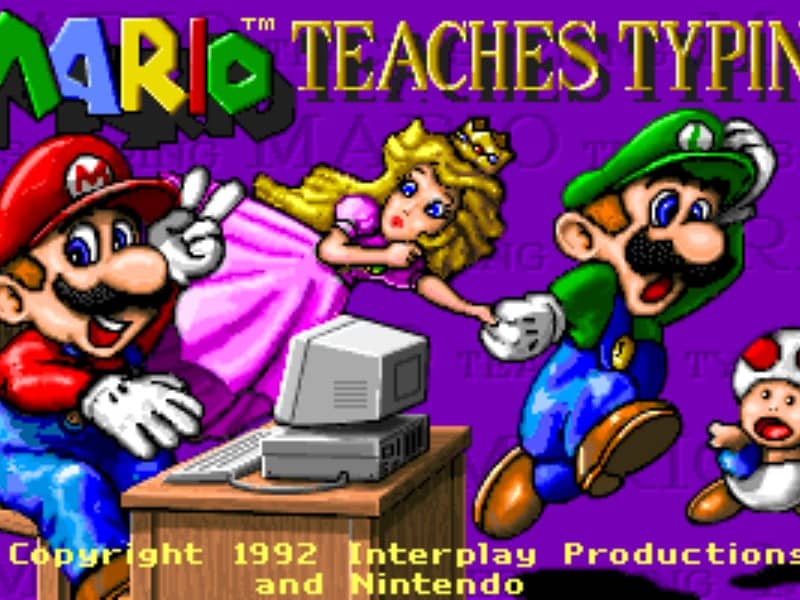
The main objective is to type the characters shown on the screen accurately and quickly to guide Mario and his friends past obstacles. Players can select from several different mini-games of varying difficulty. In the simpler levels, you type single letters to help Mario smash blocks or stomp on enemies like Goombas and Koopa Troopas. As you advance to harder levels, you must type full words and complete sentences to help Mario swim through the ocean or run through a dangerous castle. To succeed, focus on proper hand placement on your physical keyboard. The game displays on-screen hands to guide your finger positions and teach you touch typing. In the early stages, prioritize accuracy over speed to build muscle memory. As you transition to full sentences, focus on maintaining a steady typing rhythm to help Mario smoothly jump over hazards, evade traps, and complete his quest before the timer runs out.
Informations sur le jeu
Jouer à Mario Teaches Typing en ligne – FAQ DOS
Puis-je jouer gratuitement à Mario Teaches Typing en ligne ?
Oui. Vous pouvez jouer gratuitement à Mario Teaches Typing en ligne dans votre navigateur sur GGEMU, sans téléchargement.
Puis-je jouer à Mario Teaches Typing sur mobile ?
Oui. Vous pouvez jouer à Mario Teaches Typing avec GGEMU sur mobile comme dans un navigateur sur ordinateur.
Puis-je sauvegarder ma progression dans Mario Teaches Typing ?
Oui. Mario Teaches Typing prend en charge les sauvegardes instantanées locales sur GGEMU. Les membres GGEMU Premium peuvent également sauvegarder dans le cloud.
Faut-il un émulateur ou du matériel spécial pour jouer à Mario Teaches Typing ?
Non. Mario Teaches Typing fonctionne dans votre navigateur sur GGEMU : aucun environnement DOS ni émulateur séparé n'est nécessaire.
Puis-je jouer à Mario Teaches Typing en plein écran ?
Oui. Mario Teaches Typing prend en charge le mode plein écran sur GGEMU pour une expérience plus immersive.
Puis-je jouer à Mario Teaches Typing avec une manette ?
Oui. Vous pouvez jouer à Mario Teaches Typing avec une manette sur GGEMU lorsqu'un modèle compatible est connecté.