遊び方
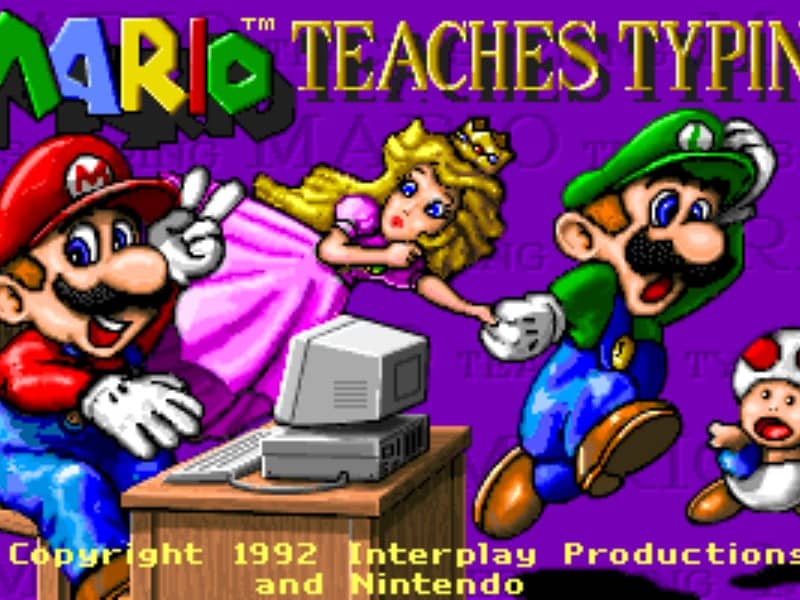
The main objective is to type the characters shown on the screen accurately and quickly to guide Mario and his friends past obstacles. Players can select from several different mini-games of varying difficulty. In the simpler levels, you type single letters to help Mario smash blocks or stomp on enemies like Goombas and Koopa Troopas. As you advance to harder levels, you must type full words and complete sentences to help Mario swim through the ocean or run through a dangerous castle. To succeed, focus on proper hand placement on your physical keyboard. The game displays on-screen hands to guide your finger positions and teach you touch typing. In the early stages, prioritize accuracy over speed to build muscle memory. As you transition to full sentences, focus on maintaining a steady typing rhythm to help Mario smoothly jump over hazards, evade traps, and complete his quest before the timer runs out.
ゲーム情報
Mario Teaches Typingをオンラインでプレイ – DOS版のよくある質問
Mario Teaches Typingは無料でオンラインプレイできますか?
はい。ダウンロード不要で、GGEMUのブラウザ上からMario Teaches Typingを無料でオンラインプレイできます。
Mario Teaches Typingはスマートフォンで遊べますか?
はい。GGEMUなら、スマートフォンなどのモバイル端末でもパソコンのブラウザでもMario Teaches Typingをプレイできます。
Mario Teaches Typingの進行状況を保存できますか?
はい。Mario Teaches TypingはGGEMUのローカルセーブステートに対応しています。GGEMU Premium会員はクラウドセーブも利用できます。
Mario Teaches Typingを遊ぶにはエミュレーターや専用ハードが必要ですか?
いいえ。Mario Teaches TypingはGGEMUのブラウザ上で動作するため、別途DOS環境やエミュレーターを用意する必要はありません。
Mario Teaches Typingはフルスクリーンで遊べますか?
はい。Mario Teaches TypingはGGEMUのフルスクリーンモードに対応しており、より没入感のあるプレイを楽しめます。
Mario Teaches Typingはゲームパッドやコントローラーで遊べますか?
はい。対応コントローラーを接続すれば、GGEMUでMario Teaches Typingをゲームパッド操作できます。